
Magicbricks Buy, Rent Property
MagicBricks Reality Services LtdHouse & Home
4.3799.00 Reviews
- Version
- 9.5.9.7
- Installs
- 10.00M
- Age Rating
- Everyone
Screenshots
Our Review of Magicbricks Buy, Rent Property
 Analysis by Appyee
When I use a property app, I want it to help me make a careful decision, not just show me a long stream of homes. That matters even more when I’m comparing unfamiliar neighborhoods, working around a tight schedule, or trying to use a phone interface that isn’t comfortable for me. Magicbricks Buy, Rent Property is aimed at India’s housing market, and its combination of search, listing details, maps, and ways to contact property owners gives it a practical role in that early research stage.
Who benefits most from a property-first search
I’d start with this app if I were comparing homes to buy or rent across several localities and wanted one place to organize the hunt. It is also relevant for owners who want to put a property in front of people searching for a home. MagicBricks Reality Services Ltd develops the app, which sits in the House & Home category. It is free to download, rated for Everyone, and has an average rating of 4.4 from around 308,000 ratings, with more than 10 million installs.
Those figures suggest a widely used service, but they don’t tell me whether a particular listing is current or suitable. I’d treat every listing as a lead to investigate, not as a promise. Before travelling to see a place, I would confirm availability, the exact address, the terms, and any details that could affect the decision directly with the owner or contact person.
Making a shortlist that is useful offline
A useful way to search is to decide what can change and what cannot before opening the app. For example, I’d separate must-haves such as the area or number of bedrooms from preferences such as a particular floor or finish. Then I’d adjust the filters in stages rather than setting every preference at once. If the results are sparse, relaxing one preference at a time makes it easier to see which requirement is doing the narrowing.
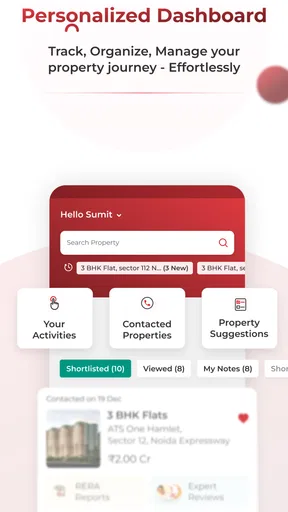
I’d also keep a simple comparison note outside the browsing session: the asking amount, locality, major questions, and whether I have contacted the listing. This is especially helpful when several properties look similar in photos. A shortlist should help me remember why a place made the cut, rather than just preserve a row of thumbnails.
The map view can add context that a list alone cannot. I would use it to compare where options sit within an area, then check the surroundings separately before arranging a visit. A map is a planning aid, not proof of commute time, street conditions, or the experience of being there at different hours. That distinction keeps the app useful without asking it to answer questions only a real visit can settle.
Reading listing details with a critical eye
Photos and descriptions help me decide what to ask next, but they are not a substitute for checking a property in person. I’d use images to spot points that need clarification, such as the condition of a room or whether a feature shown is part of the property. Descriptions can make it easier to compare listings, but I would verify important claims directly before paying or signing anything.
Locality information is useful as a starting point when I am unfamiliar with an area. I would still check the specific things that matter to my routine: the route to work or school, access to everyday services, and whether the location feels practical at the times I would use it. General neighborhood summaries can help me form questions, but they cannot capture every street or personal preference.
Contacting owners without rushing the decision
Direct contact can save time when a listing seems promising, especially if I prepare a few questions first. I’d ask whether it is still available, what costs or terms apply, and what viewing arrangements are possible. The app’s contact options are a useful bridge between browsing and a conversation, but a quick reply should not pressure me into skipping checks or making a commitment before I’m ready.
For a seller or landlord, the listing process is only the beginning. Clear, accurate details and useful photos can help a prospective renter or buyer understand the offer, while vague claims may lead to repeated questions and wasted visits. I’d keep the description factual and make sure any important conditions are easy to discuss when someone gets in touch.
Accessibility in everyday use
For readability and navigation, the app’s organized search-and-listing approach gives me a clear task to follow: set a location, narrow the results, inspect a property, and decide whether to ask for more information. Still, property searches involve a lot of text, images, and comparisons. Someone who finds dense screens tiring may be better off browsing in short sessions and writing down the most important details rather than trying to evaluate every option at once.
Motor and sensory needs can also affect how comfortable the process feels. Repeatedly changing filters, scrolling through long results, or moving between photos and descriptions may be demanding for some people. I would take breaks, keep a short list of criteria, and use whichever phone settings already make reading and touch interaction easier. The app can support the search, but it cannot make every listing equally easy to assess.
When another approach may work better
Compared with asking friends, checking local notices, or working directly with an agent, a property app is strongest when I want to scan many possibilities and compare them at my own pace. Personal recommendations can offer context about an owner or building that a listing may not provide; an agent may help coordinate visits or explain local practices. I see Magicbricks as a useful discovery tool alongside those routes, not a replacement for every human source of information.
It may be less suitable if I need a guaranteed current inventory, personal assistance through every step, or a decision based entirely on accessibility details that I need confirmed for a particular building. In those cases, I would contact the relevant person directly and arrange an in-person check, or seek help from someone who knows the property or locality. The app is most useful when I have time to compare and verify rather than needing a final answer immediately.
The Power of Search
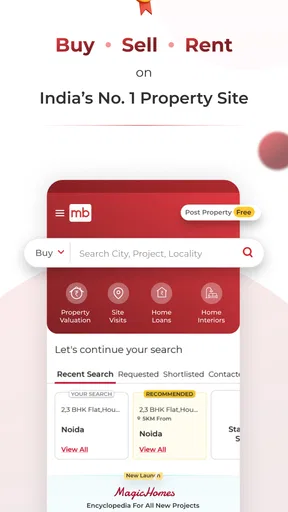
First off, the search functionality on Magicbricks Buy, Rent Property is genuinely impressive. You can tailor your search using a variety of filters, which is a lifesaver if you're like me and have specific requirements. From the number of bedrooms to budget constraints, the app allows you to narrow down your options efficiently. And it’s not just about homes; you can also search for commercial properties if that’s what you’re in the market for.
One feature I particularly loved was the map view. It gives you a bird's-eye view of all the properties in your selected area. It’s incredibly intuitive and makes the whole process feel less like a chore and more like a virtual house tour. Plus, the app's integration with Google Maps means you can easily visualize the neighborhood and nearby amenities.
Detailed Listings
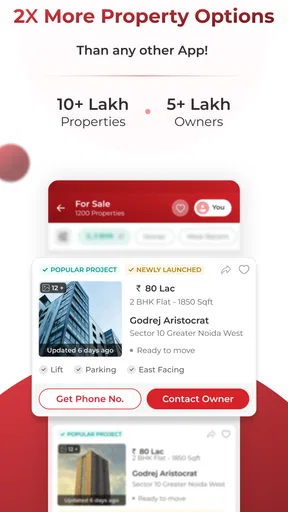
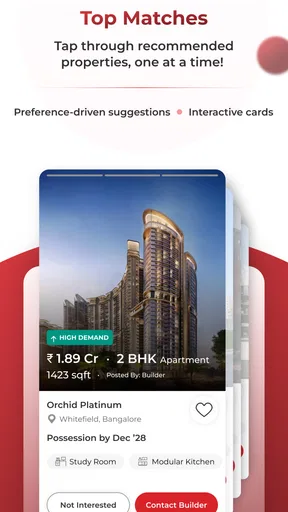
When it comes to the property details, the app doesn’t skimp on information. Each listing is accompanied by high-quality images and detailed descriptions. You can check out everything from the age of the property to the types of flooring used. This level of detail is fantastic for those of us who appreciate knowing exactly what we’re getting into before setting up a visit.
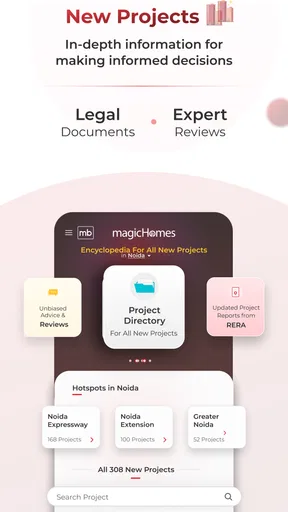
The app also provides insights into the locality, which is crucial if you’re moving to a new city or neighborhood. You can learn about the crime rate, schools, and even the kind of people living in the area. It’s like having a mini-research assistant at your fingertips.
Making Connections
One of the standout features for me is how easy it is to connect with sellers or landlords. With just a tap, you can contact them directly through the app. No need to dig around for contact details or fill out endless forms. It’s straightforward and efficient, allowing you to focus on what really matters — finding the perfect place.
Additionally, the app has a built-in chat feature. This makes it super convenient to ask questions and get immediate responses. It’s like having a conversation with your future landlord right from your phone. The convenience factor here is off the charts.
User Experience
The overall user experience with Magicbricks Buy, Rent Property is smooth and intuitive. The interface is clean and not cluttered with unnecessary ads or distractions, which is a huge plus in my book. Navigation is a breeze, and everything is laid out logically. Even if you’re not particularly tech-savvy, you’ll have no trouble finding your way around.
Another thing worth mentioning is the app’s speed. It loads quickly, and I didn’t encounter any lag, even when browsing through multiple listings. This is crucial when you’re in the midst of a house hunt and need to make quick decisions.
Value-Added Features
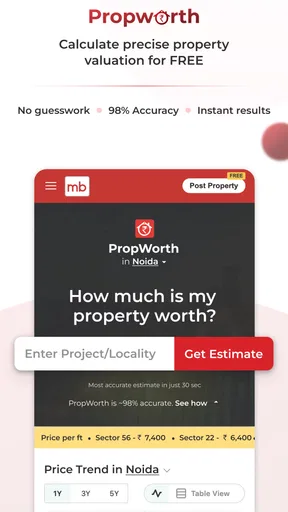
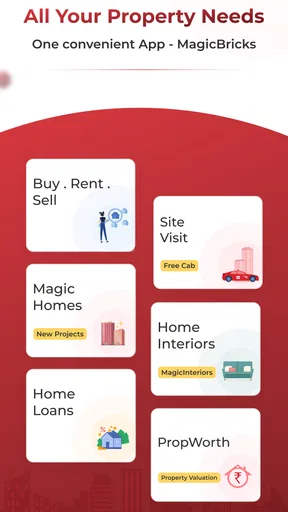
Beyond the basics, the app offers some nifty extras. For instance, there are calculators for home loans and EMI, which can help you get a clearer picture of your financial commitments. The app also provides real-time updates on property prices and trends, keeping you informed at every step of the way.
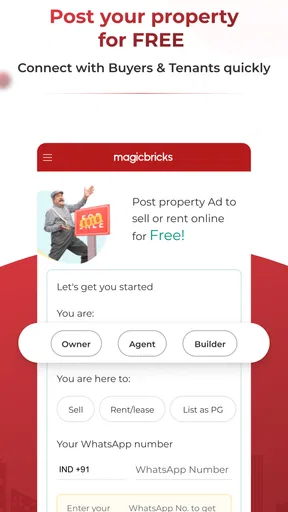
If you’re a seller, there’s a dedicated section to list your property, complete with tips and tricks to make your listing stand out. It’s like having a real estate agent in your pocket!
Using the app around a busy day
One realistic way I’d use it is to check a few areas during a lunch break, save the strongest candidates in my own notes, and contact the promising listings later when I can ask questions properly. If I were moving with family, I’d share the shortlist and discuss the trade-offs before booking visits: a larger home farther away may not suit everyone’s routine, even if the photos are appealing. This staged approach prevents a quick browse from turning into an impulsive commitment.
For a renter, the key questions may be about move-in timing and terms; for a buyer, they may focus more on the condition, ownership details, and the costs involved. The app helps me get to those conversations, but I would not assume that a listing answers them all. My practical tip is to send a compact set of clear questions rather than a vague message, then compare the answers against the listing before arranging a visit.
Costs, platform limits, and device fit
The app is free to download, though in-app purchases are available, priced from $6.99 to $219.99 per item. I would consider any paid option only after understanding exactly what it provides and whether it addresses a real need in my search. The core decision—whether a home suits my budget and circumstances—still depends on checking the property and its terms, not on buying an extra inside an app.
The current version is 9.5.7.0, and the minimum operating system requirement is Android 7.0. That makes it important to check whether an older device can install and run it before planning a search around the app. On any phone, people who rely on particular text, contrast, touch, or audio settings should test the actual screens they need; comfort can vary with both the device and the person using it.
A measured recommendation
With an Everyone content rating and a long-running presence in the housing-app space, Magicbricks has a broad role for people exploring property options in India. Its reach is helpful for discovery, but I would still judge each result individually: a large pool does not guarantee that every locality, price range, or type of property will be equally well represented at the moment I search.
My inclusive verdict is that this app is worth trying if you can comfortably browse listings and are prepared to verify the details that matter to you. It gives buyers, renters, and property owners a practical place to begin, while maps and listing information can make early comparisons less scattered. If reading, navigation, or repeated touch interactions are difficult, or if you need hands-on guidance, pair the app with a trusted person or a local professional instead of relying on the screen alone. I’d use it as a strong starting point—not as the final authority on a home.
Final Thoughts
All in all, the Magicbricks Buy, Rent Property app is a fantastic tool for anyone in the real estate market. Its combination of detailed listings, user-friendly interface, and valuable extras makes it a must-have for both buyers and sellers. Whether you're on the hunt for a new home or looking to rent out your property, this app makes the process seamless and stress-free.
So, if you're tired of the traditional ways of house hunting, give this app a try. You might just find that perfect place you've been dreaming of, without all the hassle. Happy house hunting!
Verdict
Strengths of Magicbricks Buy, Rent Property
- User-friendly interface for easy navigation.
- Comprehensive property listings nationwide.
- Advanced search filters for precise results.
- Regular updates with new property listings.
- Integrated map view for location insights.
Limitations of Magicbricks Buy, Rent Property
- Limited offline functionality.
- Occasional app crashes reported by users.
- In-app ads can interrupt browsing.
- Requires internet for most features.
- Some listings may lack detailed photos.
Similar Picks in This Category
View All
Universal TV Remote Control
CodeMatics Media Solutions3.9

AlfredCamera Home Security app
Alfred Systems Inc.4.7

Planner 5D: AI Home Design
Planner 5D4.5

Universal Tv Remote-Cast to TV
One Music Player4.1

Zillow: Homes for Sale & Rent
Zillow Group4.8

99acres Buy/Rent/Sell Property
infoedge.com4.3
Frequently Asked Questions
What features does the Magicbricks app offer for property seekers?
Magicbricks provides a comprehensive platform for buying, renting, and selling properties. Users can access detailed property listings with photos, videos, and virtual tours. The app also offers neighborhood insights, price trends, and a mortgage calculator to help users make informed decisions. Additionally, it features agent contact information and a chat option for direct communication.
Is the Magicbricks app free to use, and are there any in-app purchases?
The Magicbricks app is free to download and use for basic property searches and listings. However, it offers premium services such as featured listings and enhanced visibility for sellers, which come at an additional cost. These in-app purchases are optional and designed to enhance user experience and listing reach.
How user-friendly is the Magicbricks app for first-time users?
Magicbricks is designed with a user-friendly interface that caters to both first-time and experienced users. The app’s intuitive navigation allows users to easily search for properties, filter results, and view detailed listings. The search function includes multiple filters for location, price, and property type, making it simple to find suitable options quickly.
What types of properties can I find on Magicbricks?
Magicbricks offers a wide variety of property types, including residential apartments, villas, plots, commercial spaces, and office buildings. Users can search for new projects, resale properties, and rental options. The app caters to diverse property needs, whether you're looking for a luxury apartment or a budget-friendly rental.
How reliable are the property listings on Magicbricks?
Magicbricks strives to maintain high accuracy and reliability in its property listings. Each listing includes detailed information verified by the property owner or agent. Additionally, the app encourages user feedback and ratings to ensure the quality and authenticity of listings. However, users are advised to conduct personal due diligence before proceeding with any transactions.
